
Employee commuting data can be captured in two ways, depending on your setup.
1. Employee Engagement Survey
If you have opted for the Employee Engagement Survey, commuting emissions are automatically calculated based on employee responses. No manual data entry is required in this case.
2. Manual data entry
If you have not opted for the survey, you can enter commuting data manually in the platform : Data Module → Activity Data (Step 5) → Employee Commute
Within this section, you will need to complete three fields:
If some employees work from home, select 'N/A – staff working from home' as a commute type and include them in the percentage split. This ensures your total always reaches 100% and your emissions are not overstated.
Need help?
If you have any questions or need support with data entry, please contact us at support@our-trace.com
1. Employee Engagement Survey
If you have opted for the Employee Engagement Survey, commuting emissions are automatically calculated based on employee responses. No manual data entry is required in this case.
2. Manual data entry
If you have not opted for the survey, you can enter commuting data manually in the platform : Data Module → Activity Data (Step 5) → Employee Commute
Within this section, you will need to complete three fields:
- Commute type: Select the mode of transport from the dropdown (for example, car, public transport, cycling)
- Average distance (one way): Select the typical distance travelled by employees each way from the dropdown
- Percentage of total: Enter the proportion of your workforce that uses the commute type and distance selected in that row. Add as many rows as needed to reflect your employee mix. The total across all rows must equal 100%
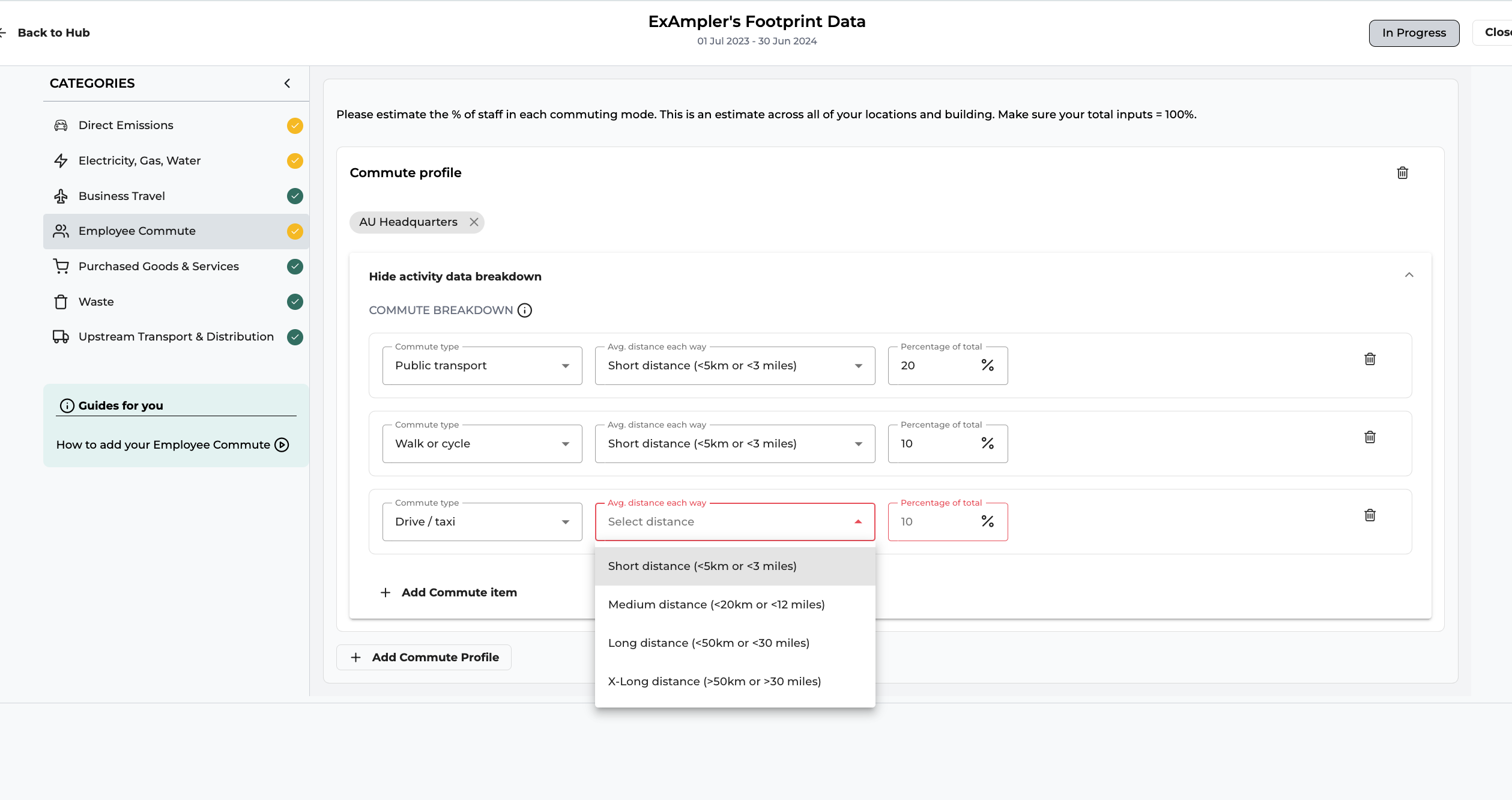
If some employees work from home, select 'N/A – staff working from home' as a commute type and include them in the percentage split. This ensures your total always reaches 100% and your emissions are not overstated.
Need help?
If you have any questions or need support with data entry, please contact us at support@our-trace.com